1
Promote Without Interrupting Playback
The ad appears when the viewer chooses to pause. You are using a natural break instead of forcing another interruption into the video.

Your viewers already pause videos. Pause Ad Profits turns that ordinary moment into a clean, clickable opportunity to promote your product, affiliate offer, upgrade, bonus, list, or next step.
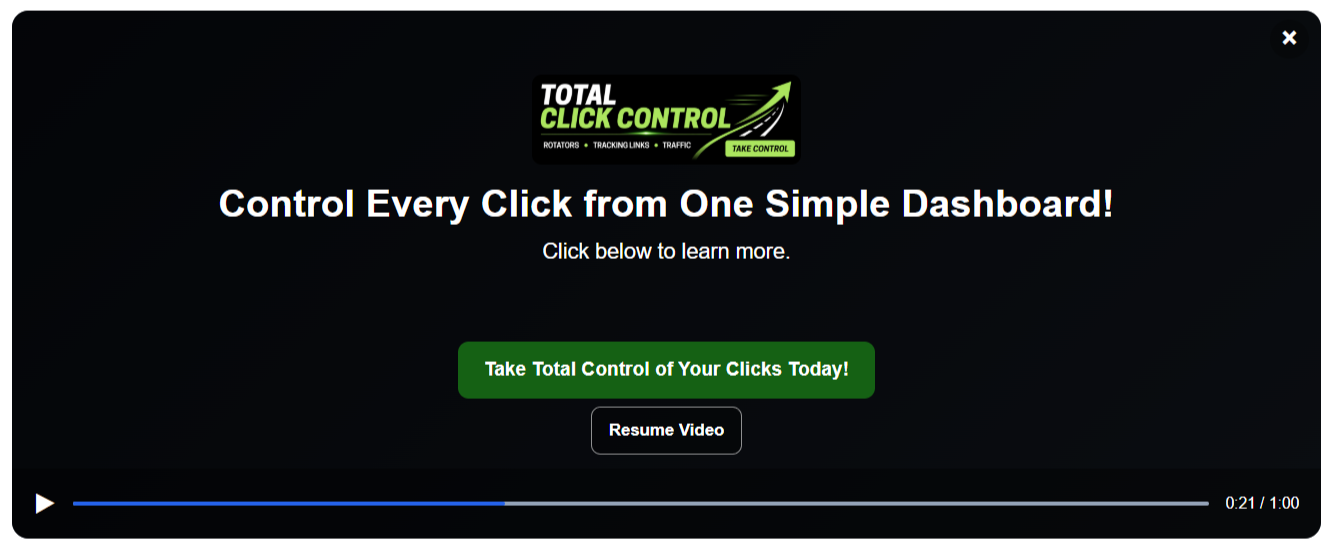
A pause often means someone is taking notes, checking a detail, opening another tab, or deciding what to do next. Instead of leaving a frozen frame on the screen, give that viewer a relevant offer and a clear action button.
The ad appears when the viewer chooses to pause. You are using a natural break instead of forcing another interruption into the video.
Add a current offer to an existing video without opening an editor, recording a new ending, or replacing the video file.
Update the campaign or active ad inside PAP. Your installed campaign code can keep working while the promotion changes behind the scenes.
Use a full regular ad when you need persuasive copy, or let one large creative do the selling with an image-only ad.
Combine an optional image, headline, supporting text, clickable CTA button, background color, and Resume Video button.
Display a large clickable 800×450 image with the Resume Video button. Ideal for banners, event promos, flash offers, and graphic-first campaigns.
Send viewers to your sales page, checkout, affiliate link, opt-in form, upgrade page, bonus, or any other valid destination URL.
Create more than one active ad and use the campaign rotation settings to control which promotion is shown.
Restrict selected campaigns to approved websites so your pause-ad configuration is not freely used on unauthorized domains.
Review video loads, pause events, overlay shows, clicks, and click-through rate at the account, campaign, and ad levels.
Pause Ad Profits gives you enough flexibility to match simple calls to action, detailed promotions, and highly visual offers.
Regular ads are built for promotions that need context. Add an optional image or logo, a strong headline, supporting text, and a clickable CTA button.
Image-only ads remove the headline, supporting text, and standard CTA button. The viewer sees your large 800×450 creative and the Resume Video button.
Choose your campaign background and button colors, then use your own image, copy, and destination. The result can be bold and colorful or clean and understated.
Click any screenshot to view it larger.
Choose a name, rotation behavior, colors, and domain settings. Then add one or more regular or image-only ads.
Paste your existing video embed code—or an MP4 URL for a self-hosted video—and let PAP prepare the matching campaign code.
Replace the old video code with the complete block PAP provides. When a viewer pauses, the active promotion appears.
Each platform has its own setup helper inside Pause Ad Profits. You can play and pause the demos below to see each platform in action. If you click an ad it will open in a new tab.
Use a direct MP4 video stored on your server or paste your existing HTML5 code. PAP can generate the video markup and matching campaign code for you.
Paste the complete Vimeo iframe embed. PAP prepares the required video identifier and adds its pause-ad runtime around the player.
Use a compatible Wistia inline, fallback, Aurora player, or iframe embed. PAP adds the setup needed to display the pause promotion correctly.
Paste a regular or advanced Spotlightr embed. PAP prepares the compatible integration and provides a fullscreen experience for the player and pause ad.
Many popular page builders limit outside JavaScript. That normally prevents tools like PAP from attaching to a video—but Pause Ad Profits now includes a simple hosted-player solution that lets you use clickable pause ads without placing PAP JavaScript directly on your page.
PAP can securely host the complete video player and pause-ad system on a special Profit Tool Hub page for you.
You simply paste the supplied responsive iframe code into your page builder’s video or custom-code element.
The video, campaign and ads run from the PAP-hosted page while your visitor sees the player directly inside your sales page, landing page or lead-capture page.
This hosted option works with self-hosted HTML5, Vimeo, Wistia and Spotlightr.
Paste your original HTML5, Vimeo, Wistia or Spotlightr video code into PAP and select your pause-ad campaign.
PAP builds a secure hosted page containing the video, campaign, pause ads and fullscreen controls.
Copy the generated iframe into the LeadsLeap Video/Custom Code tool or another page builder that accepts iframe code.
You should not have to abandon your favorite page builder just because it limits outside scripts. PAP gives you both standard JavaScript embeds and a simple hosted iframe option, so you can choose the method that fits your website.
Get Pause Ad ProfitsSend interested viewers directly to the sales page or checkout for the product demonstrated in the video.
Promote a higher plan, commercial license, bundle, or advanced feature to viewers already using your training.
Recommend a related tool or service through your affiliate link without permanently editing it into the recording.
Direct viewers to a lead magnet, newsletter, webinar registration, or follow-up sequence.
Swap in a deadline promotion while the sale is active, then replace it without changing the original video.
Cross-promote another tool, course, resource, or service that naturally fits the video topic.
Agency users can create and manage pause-ad campaigns for eligible client video projects.
Link to documentation, a booking calendar, support resource, tutorial, or implementation service.
The viewer can click your promotion or resume the video. On supported phone layouts, pause ads are reserved for fullscreen viewing so small embedded players do not become crowded.
PAP provides fullscreen behavior for the supported platforms so the video and pause ad can work together.
Every pause promotion includes an obvious Resume Video button so the viewer stays in control.
Regular and image-only ads adjust to the available player area across laptop, tablet, and supported mobile fullscreen views.
Every Pause Ad Profits Pro or Agency purchase includes access to the Member Portal Builder bonus plan inside the same Profit Tool Hub account.
Use Member Portal Builder to create professional private portals where you can organize and deliver content, bonuses, training, downloads, resources, and customer materials without building a complicated membership website.
Your Member Portal Builder bonus access is automatically added to your Profit Tool Hub account after your PAP purchase.
Use Pro for your own marketing campaigns. Choose Agency when you need higher limits and commercial client-use rights.
One-Time Fee
For marketers, product creators, affiliates, coaches, and small businesses using PAP for their own offers and videos.
One-Time Fee
For agencies, freelancers, consultants, and service providers who want higher limits and the right to use PAP for client projects.
No. Pause Ad Profits works with the video player on your webpage. You add the prepared code around or alongside the supported player without re-editing the original recording.
PAP currently supports self-hosted HTML5 video, Vimeo, Wistia, and Spotlightr. Each platform has a guided setup helper inside the app.
A regular ad can include an optional image, headline, supporting text, and CTA button. An image-only ad displays one large clickable 800×450 image plus the Resume Video button.
Yes. Subject to your plan limits, you can add multiple ads to a campaign and use PAP's rotation settings to determine which active ad appears.
Yes. The campaign code loads the currently active campaign configuration, so you can update the ad in PAP without re-editing the original video.
Yes. Approved-domain controls can be used to limit selected campaigns to the active domains you authorize.
PAP uses responsive layouts. On supported phone layouts, ads are displayed in fullscreen rather than crowding a small embedded player.
Pro is intended for your own business and offers. Agency includes higher limits and commercial client-use rights. Add your final exact limits and terms before publishing.
Create the campaign, add your promotion, install the prepared code, and turn an ordinary paused screen into a clickable marketing opportunity.
Earnings Disclaimer: There is no promise or representation that you will make a certain amount of money, or any money, or not lose money, as a result of using our products and services. Any earnings, revenue, or income statements are strictly estimates. There is no guarantee that you will make these levels for yourself. As with any business, your results will vary and will be based on your personal abilities, experience, knowledge, capabilities, level of desire, and an infinite number of variables beyond our control, including variables we or you have not anticipated. There are no guarantees concerning the level of success you may experience. Each person's results will vary. There are unknown risks in any business, particularly with the Internet where advances and changes can happen quickly. The use of our information, products and services should be based on your own due diligence and you agree that we are not liable for your success or failure.